

Best AI Tools for Student Coursework
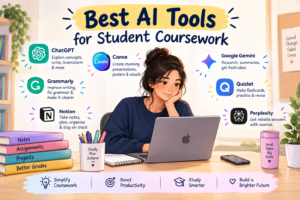

Best AI Tools for Student Coursework
Introduction: Best AI Tools for Student Coursework
College life comes with lectures, assignments, presentations, projects, research work, exams, and, of course, deadlines. Sometimes, managing everything at once can feel overwhelming. This is where Artificial Intelligence (AI) tools can become useful study companions.
AI does not replace the effort a student needs to put into learning. Instead, when used responsibly, it can help students understand difficult concepts, organize their work, find ideas, improve writing, create presentations, and study more efficiently.
Here are some AI tools and apps that students can use for their coursework.
1. ChatGPT – For Understanding and Brainstorming
ChatGPT can be useful when students are struggling to understand a difficult topic. Students can ask it to explain a concept in simple language, provide examples, create practice questions, or help develop ideas for an assignment.
For example, a commerce student can ask:
“Explain the concept of comparative advantage in international trade with a simple example.”
Students can also use ChatGPT to create revision notes, prepare MCQs, generate presentation ideas, or check whether their explanation is clear.
Best for: Concept explanation, brainstorming, revision, practice questions, and writing assistance.
2. Google Gemini – For Research and Learning
Google Gemini can help students explore topics, generate ideas, summarize information, and work with different types of content. It can be particularly useful during the initial stage of research when a student wants to understand the topic and identify areas that need further study.
Students should still verify important information using reliable academic or official sources rather than accepting AI-generated information automatically.
Best for: Research starting points, explanations, brainstorming, and summarization.
3. Perplexity – For Research With Sources
Perplexity can help students explore topics using web-based information and cited sources. It can be useful during the research stage of an assignment or project.
For example, while preparing a project on India’s foreign trade, a student could use it to discover relevant reports, statistics, and articles, and then verify the information using the original sources.
Best for: Research, finding sources, and exploring current information.
4. Grammarly – For Improving Writing
Good ideas can lose their impact when an assignment contains unnecessary grammatical or spelling mistakes. Grammarly can help students identify grammar, spelling, punctuation, clarity, and style issues.
It can be useful for assignments, reports, emails, resumes, and project documentation.
Best for: Grammar, proofreading, clarity, and writing improvement.
5. NotebookLM – For Studying Your Own Materials
NotebookLM can be especially useful when students have several study materials, such as PDFs, notes, documents, or other sources. Students can use their uploaded materials to ask questions and understand the information they contain.
For example, before an examination, a student could provide their class notes and ask for a summary, important topics, or revision questions based on those materials.
Best for: Notes, PDFs, revision, and studying from provided sources.
6. Canva – For Presentations and Projects
Assignments are not always limited to written work. Students often have to create presentations, posters, infographics, certificates, and other visual projects.
Canva’s AI-powered features can help students generate design ideas, create presentations, and improve the visual appearance of their coursework.
A well-organized presentation can make complex information easier for an audience to understand.
Best for: Presentations, posters, infographics, and project design.
7. Claude – For Creating Presentation Content
Claude can be helpful when students need to turn a large amount of information into a clear presentation structure. Students can provide their topic or study material and ask for a logical slide-by-slide outline.
For example, a student preparing a presentation on “International Trade Theories” could ask Claude to organize the topic into an introduction, major theories, examples, criticism, and conclusion.
It can also help a student simplify lengthy information into concise points suitable for presentation slides.
Best for: Presentation outlines, slide content, summarizing lengthy materials, and organizing ideas.
8. Wolfram|Alpha – For Mathematics and Calculations
Students studying mathematics, statistics, economics, finance, or other quantitative subjects may find Wolfram|Alpha useful for calculations and exploring mathematical concepts.
Instead of using it only to obtain an answer, students can use it as a learning aid to understand calculations and check their work.
Best for: Mathematics, statistics, formulas, and calculations.
9. Quizlet – For Revision and Flashcards
Remembering definitions, formulas, terminology, and important facts can be challenging. Quizlet can help students revise using digital flashcards and practice activities.
Students can turn important concepts into short questions and answers, making revision more interactive.
Best for: Flashcards, vocabulary, definitions, and exam revision.
10. DeepSeek – For Questions and Problem Solving
DeepSeek can be useful for students who need help understanding concepts, solving problems, brainstorming ideas, or working through difficult questions. Students can ask questions in simple language and use the responses as a starting point for learning.
For example, a student studying economics can ask DeepSeek to explain a difficult economic theory with a simple example or help them understand the steps involved in solving a numerical problem.
Students should verify important information and calculations rather than relying on AI-generated answers without checking them.
Best for: Problem-solving, concept explanations, brainstorming, coding, and learning assistance.
11. Notion AI – For Notes and Organization
Notion AI can help students organize their study materials, summarize notes, brainstorm ideas, and improve written content. Students can use it inside their Notion workspace to manage assignments, projects, deadlines, and study plans.
For example, a student can add class notes to a Notion page and use Notion AI to summarize the main points, create a checklist for an assignment, or organize information into a clear structure.
Best for: Note-taking, study planning, summarization, task management, and organizing coursework.
How Should Students Use AI Responsibly?
AI can save time, but using it correctly is more important than using it frequently. A student should treat AI as a study assistant, not a substitute for learning.
Here are some simple rules:
- Use AI to understand concepts, rather than blindly copying answers.
- Verify important facts and statistics using reliable sources.
- Check your college’s rules regarding AI-generated content.
- Add your own analysis, examples, and ideas to assignments.
- Don’t submit AI-generated work as your own if your institution prohibits it.
- Protect personal information and confidential academic material.
- Use AI-generated answers as a starting point and critically evaluate them.
Final Thoughts
AI is becoming an increasingly useful part of modern education. From exploring difficult concepts and improving writing to creating presentations and helping with revision, different AI tools can support students at different stages of their coursework.
The real benefit comes from using AI to learn better, not simply to finish faster. When students combine AI tools with their own research, critical thinking, creativity, and understanding, technology can become a valuable part of their academic journey.
After all, the goal of coursework isn’t just to submit an assignment—it’s to learn something along the way.
Check this out: https://studentverse.net/linkedin-for-students-build-a-strong-profile/